ReelSDK turns any span of a video URL into a looping GIF: send -ss, -t and a palettegen plus paletteuse filter to POST /v1/ffmpeg. At $0.02 per compute minute, a 3-second GIF at 480 px and 12 fps costs under a tenth of a cent.
Video to GIF API
Yes: pick the window with -ss and -t, set the frame rate and width, and one filtergraph builds the palette and applies it, so ReelSDK has a 12 fps GIF at 480 px back in a few seconds.

Use casesUpdated
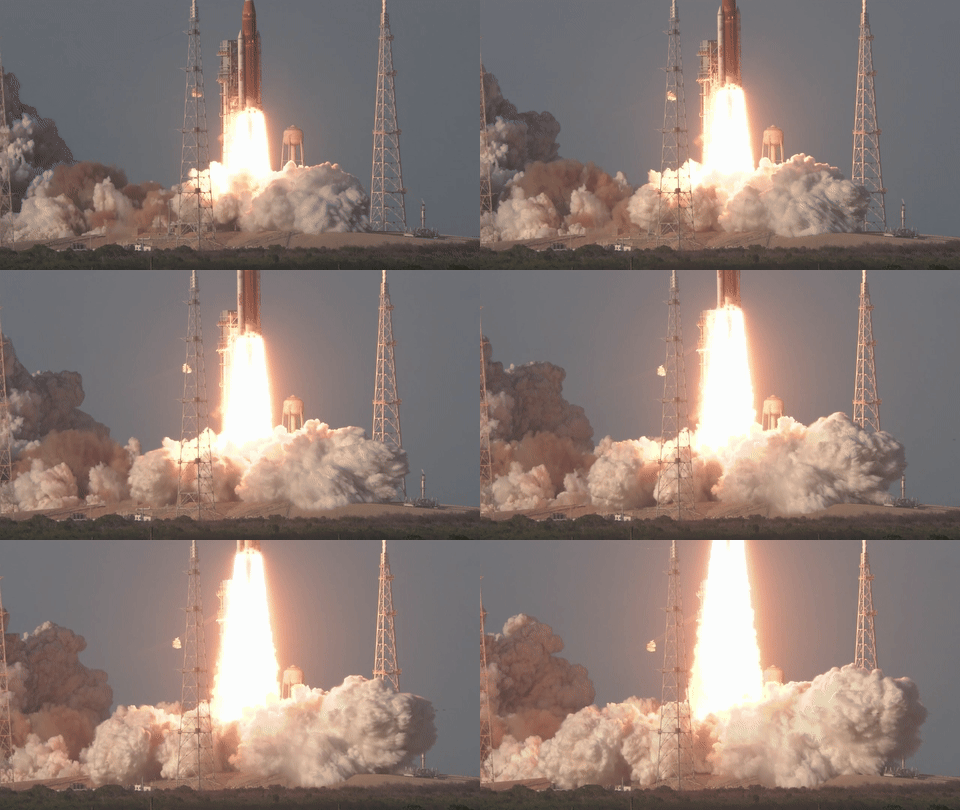
The request
POST /v1/ffmpeg
Turn a clip of any video into a looping GIF with a palette built from its own colors, for under a tenth of a cent.
curl "https://api.reelsdk.com/v1/ffmpeg?wait=60" \
  -H "Authorization: Bearer $REELSDK_KEY" \
  --json '{
    "inputs": {
      "launch.mp4": "https://api.reelsdk.com/f/lib/in/use-cases/launch.mp4"
    },
    "args": [
      "-ss", "11.8", "-t", "2.8", "-i", "launch.mp4", "-vf",
      "fps=12,scale=480:-1:flags=lanczos,split[a][b];[a]palettegen[p];[b][p]paletteuse",
      "-loop", "0", "liftoff.gif"
    ],
    "outputs": ["liftoff.gif"]
}'const res = await fetch("https://api.reelsdk.com/v1/ffmpeg?wait=60", {
method: "POST",
headers: { Authorization: `Bearer ${process.env.REELSDK_KEY}`, "Content-Type": "application/json" },
body: JSON.stringify({
"inputs": {
"launch.mp4": "https://api.reelsdk.com/f/lib/in/use-cases/launch.mp4"
},
"args": [
"-ss", "11.8", "-t", "2.8", "-i", "launch.mp4", "-vf",
"fps=12,scale=480:-1:flags=lanczos,split[a][b];[a]palettegen[p];[b][p]paletteuse",
"-loop", "0", "liftoff.gif"
],
"outputs": ["liftoff.gif"]
}),
});
const { job } = await res.json();{
"job": {
"id": "job_ysghb1rtzwv9kqv73lqj",
"op": "ffmpeg",
"status": "succeeded",
"stage": null,
"created_at": "2026-11-07T01:20:08.742Z",
"finished_at": "2026-11-07T01:20:14.079Z",
"outputs": {
"liftoff.gif": "https://api.reelsdk.com/f/out/job_ysghb1rtzwv9kqv73lqj/liftoff.gif?s=..."
},
"result": null,
"duration_s": 2.83,
"error": null,
"usage": {
"output_seconds": 2.83,
"audio_seconds": 0,
"tts_characters": 0,
"images": 0
},
"poll_url": "https://api.reelsdk.com/v1/jobs/job_ysghb1rtzwv9kqv73lqj"
}
}How the palette filtergraph works
The request passes -ss 11.8 and -t 2.8 before -i launch.mp4, so ffmpeg seeks 11.8 s into the 30 s, 1920x1080 source and reads 2.8 s of video. Inside -vf, fps=12,scale=480:-1:flags=lanczos drops the frame rate from 29.97 fps to 12 fps and resizes the clip to 480x270 with the lanczos scaler.
Then split[a][b];[a]palettegen[p];[b][p]paletteuse clones that stream inside one filtergraph. The [a] branch goes into palettegen to build a color palette [p] from the clip's own frames, and paletteuse applies [p] to the [b] branch right away without a second command or temporary file. Passing -loop 0 before liftoff.gif sets the output to loop forever.
At a glance
Ways to make a GIF from a video
| Option | Price | Limits | What you run |
|---|---|---|---|
| ffmpeg on your own machine | Free; LGPL 2.1 or later, or GPL 2 or later with GPL libraries such as libx264 | Your CPU, disk and bandwidth | ffmpeg builds, a job queue, storage |
| AWS Lambda with an ffmpeg layer | $0.0000166667 per GB-second plus $0.20 per 1M requests (x86, US East) | 900 s per run, 10,240 MB memory and /tmp, 250 MB of code and layers, 6 MB sync payload | The layer, S3 in and out, retries |
| FFmpeg Micro | 1 token per 10 s of input, 500 tokens for $5; this 2.8 s clip: about 0.3 tokens, $0.003 | 100 MB input on the free plan, 1,024 MB on Starter and Pro | API calls |
| ReelSDK | $0.02 per compute minute; under a tenth of a cent for this GIF | 500 MB per file, 1 GB per job, 10 minutes of run time | One HTTP call |
Sources: FFmpeg license and legal, AWS Lambda quotas, AWS Lambda pricing, FFmpeg Micro pricing, checked November 2026.
Tuning file size and output format
This 2.8 s cut at 12 fps and 480 px wide came out at 34 frames and 2.4 MB, from an 18.6 MB source. If you need a smaller file out of POST /v1/ffmpeg, you change the numbers in args.
You can also skip GIF and write another animated format by changing the file extension in args and outputs, like .webp or .apng. The ffmpeg endpoint docs list the full request options.
- Lower
fps=12to reduce the total frame count. - Narrow the width in
scale=480:-1(frames can be up to 8192 px per side and 37.7 megapixels). - Shorten
-t 2.8so the clip runs for fewer seconds.
Run time, cost, and limits
Each job runs on a fresh machine. Fetching the input, running ffmpeg and storing liftoff.gif billed about 2.6 seconds of compute, and machine start-up isn't billed. At $0.02 per compute minute, billed per second with a 1 s minimum, that comes to under a tenth of a cent (see pricing).
On FFmpeg Micro, jobs cost 1 token per 10 seconds of input metered per second, and trimmed jobs are billed for the clip rather than the source, so this 2.8 s clip would use about 0.3 tokens, roughly $0.003 at the 500 tokens for $5 top-up rate.
What it costs
What this job cost
- Compute: fetching the input, running ffmpeg and storing the GIF
- 2.6 s
- Rate
- $0.02 per compute minute
- Charged
- $0.0009
Billed per second with a 1 s minimum. Machine start-up is not billed, and failed jobs cost $0.
Limits
What one request takes
- Input files
- 500 MB each, 1 GB per job
- Job run time
- Up to 10 minutes
- Image formats out
- gif, apng, webp, png, jpg, avif
- Frame size
- Up to 8192 px per side and 37.7 megapixels
- Waiting for a result
- 60 s by default, up to 300 s
- Output retention
- 7 days
How it works
From request to file
Host the input
Any public http or https URL on the default port works, as long as it has no username or password in it; ReelSDK downloads it before ffmpeg starts. A local file goes up with
POST /v1/uploads?filename=clip.mp4first: up to 100 MiB per upload, kept 7 days, and larger files go up as a multipart upload.Send the arguments
Pick the window with
-ss 11.8 -t 2.8before-i. One-vfchain does the rest:fps=12andscale=480:-1set the size,splitsends the frames topalettegen, andpaletteusemaps them onto that palette.-loop 0makes the GIF repeat forever.Download the result
Every file is listed under
job.outputs, and the links work for 7 days, so copy what you keep. For long jobs, send?wait=0with awebhook_urland fetchGET /v1/jobs/{id}when the webhook arrives.
FAQ
Questions, answered
Why run split, palettegen, and paletteuse in one -vf string?
Putting split[a][b];[a]palettegen[p];[b][p]paletteuse in a single -vf argument generates the palette from the trimmed clip's colors and applies it in one pass. You don't have to write a palette PNG out and pass it back into a second job. args is handed straight to ffmpeg as a JSON array without a shell, so the semicolon in the filtergraph runs as written.
Can I output webp or apng, or emit multiple sizes in one job?
Yes, ffmpeg on ReelSDK writes gif, apng, webp, png, jpg, and avif. Change the filename in args and list the new name in outputs to get that format back. A single job can keep up to 20 outputs, so you can pass multiple output filenames in args and outputs to render a few widths or formats in one run.
How does the cost compare to FFmpeg Micro and AWS Lambda?
ReelSDK bills $0.02 per compute minute, so this GIF cost under a tenth of a cent; failed jobs cost $0, and new accounts get $0.50 of free credit at sign-up. FFmpeg Micro charges 1 token per 10 seconds of input and bills the trimmed length, which comes out to about 0.3 tokens (roughly $0.003 at the $5 for 500 tokens top-up rate), with a 100 MB max input on the free plan and 1,024 MB on Starter and Pro. On AWS Lambda, you pay $0.0000166667 per GB-second (x86, US East) plus $0.20 per 1M requests.
- Video to GIF with ffmpegMake a clean GIF from a video with palettegen and paletteuse, then shrink it with frame rate, size, colours or a different format.
- MP4 to GIF converterTurn an MP4 into a looping GIF in your browser, free and without uploading it, or make the same GIF with one API call.
- Video thumbnailsGrab a poster frame and a contact sheet with one frame per shot from one ffmpeg call, under a fifth of a cent for both.
- Trim videoCut a clip out of a longer video by URL, frame-accurate or by stream copy, for under a fifth of a cent per 10-second cut.
- Resize videoRender 9:16, 1:1, 4:5 and 16:9 copies of one video in a single ffmpeg call, about 2 cents for all 4 from a 30 s clip.
- Video to MP3Pull the audio track out of any video as an MP3 with one ffmpeg call, under a tenth of a cent for a 30 s clip.
- FFmpeg API reference: POST /v1/ffmpegPOST /v1/ffmpeg runs ffmpeg 8.1 with your own arguments: up to 50 inputs of 500 MB, 20 outputs and 600 s per command, with tested recipes for GIFs, thumbnails and subtitles.
Sources, checked November 2026
Ready to build?
Ship video from your app today
Your first $0.50 is free, and one key covers every endpoint.
