Build a palette with palettegen and apply it with paletteuse for a clean GIF; 3 seconds at 12 fps and 480 px wide still weigh about 3.3 MB. ReelSDK's free MP4 to GIF converter makes one in your browser, or the API does for under a third of a cent.
Video to GIF with ffmpeg
A GIF frame holds at most 256 colours, and frame rate and width decide the size: 10 fps at 320 px cut ours to well under half. ReelSDK's API returned the same GIF, byte for byte, as our local run.

GuidesUpdated
ffmpeg -ss 2 -t 3 -i in.mp4 -filter_complex \
  "[0:v]fps=12,scale=480:-1:flags=lanczos,split[a][b];[a]palettegen[p];[b][p]paletteuse" \
  -loop 0 clip.gif
split sends the frames two ways: palettegen builds the best 256 colours for the whole clip and paletteuse maps every frame onto them. fps=12 and scale=480:-1 set the size before anything else; 3 seconds came out at about 3.3 MB.
Variations
The other commands you will need
Fewer colours, ordered dithering
64 colours with Bayer dithering cut the file to about 1.9 MB, down from 3.3. The pattern shows on smooth areas such as sky, so check it on your own footage.
64 colours ffmpeg -ss 2 -t 3 -i in.mp4 -filter_complex \ "[0:v]fps=12,scale=480:-1:flags=lanczos,split[a][b];[a]palettegen=max_colors=64[p];[b][p]paletteuse=dither=bayer:bayer_scale=3" \ -loop 0 small.gifSave the palette and reuse it
Two passes give the same result as the split graph; we compared the bytes. Use them when one palette should serve several GIFs, or to edit the 16x16 palette image by hand.
two passes ffmpeg -ss 2 -t 3 -i in.mp4 -vf fps=12,scale=480:-1:flags=lanczos,palettegen -frames:v 1 -update 1 palette.png ffmpeg -ss 2 -t 3 -i in.mp4 -i palette.png -filter_complex \ "[0:v]fps=12,scale=480:-1:flags=lanczos[x];[x][1:v]paletteuse" -loop 0 clip.gifWhen a GIF is too big
Where you control the player, an animated WebP or a muted MP4 does the same job. The WebP came out under 1 MB and the MP4 at about 0.2 MB, against 3.3 MB for the GIF.
webp or mp4 ffmpeg -ss 2 -t 3 -i in.mp4 -vf fps=12,scale=480:-1:flags=lanczos -c:v libwebp -quality 75 -loop 0 clip.webp ffmpeg -ss 2 -t 3 -i in.mp4 -vf fps=12,scale=480:-2 -an -c:v libx264 -crf 23 -preset veryfast -movflags +faststart clip.mp4
The flags
Seven versions of the same 3 seconds
| Flag | What it does | Used here |
|---|---|---|
palettegen | Picks up to 256 colours from the whole clip | 3.3 MB, clean |
paletteuse | Maps each frame onto the palette, with sierra2_4a dithering by default | Every palette version |
split | Sends the same frames to both filters in one pass | One-pass graph |
| no palette | A fixed bgr8 palette, heavily dithered | 1.8 MB, dotted |
max_colors=64 | A smaller palette, here with dither=bayer:bayer_scale=3 | 1.9 MB |
stats_mode=diff | Builds the palette from what moves, with diff_mode=rectangle | 2.9 MB |
dither=none | No dithering; smooth gradients turn into bands | 2.8 MB |
fps=10,scale=320:-1 | Fewer and smaller frames | 1.2 MB |
Sources: ffmpeg filters: palettegen, paletteuse, ffmpeg formats: gif muxer, checked November 2026.
Why the palette matters
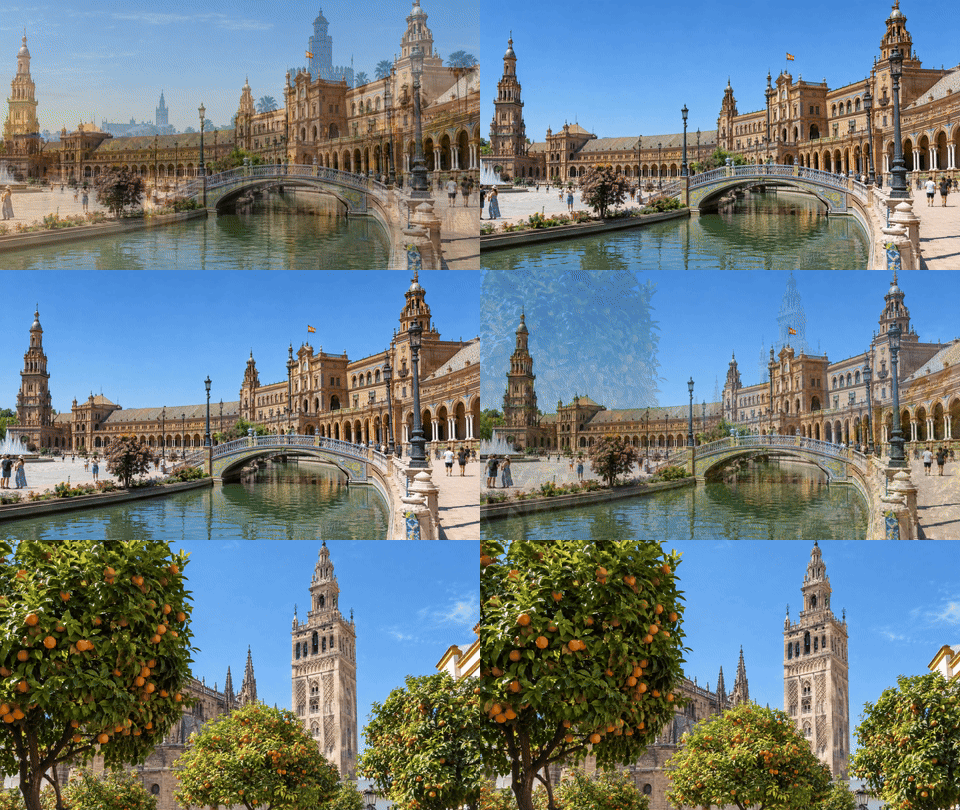
Every GIF frame is drawn from a palette of up to 256 colours. Without palettegen, ffmpeg converts each frame to bgr8, a fixed set of 256 colours, and dithers to fake the rest. That file was about half the size, but the blue sky turned into a field of dots.
palettegen looks at the whole clip first and keeps the colours it actually uses. paletteuse then dithers only where it has to, with sierra2_4a unless you choose another method.
Making the file smaller
Size comes mostly from pixels per second. Dropping from 12 to 10 fps and from 480 to 320 px wide took the clip from about 3.3 MB to 1.2 MB. Fewer colours helped less: 64 of them gave 1.9 MB.
stats_mode=diff with diff_mode=rectangle helps when only part of the picture moves, such as a screen recording. Our clip moves everywhere, so it saved little: 2.9 MB against 3.3.
Looping, and what to use instead
-loop 0 loops forever, which is also the gif muxer's default; -loop -1 plays once. Add -final_delay in hundredths of a second to pause before it starts again.
A GIF is the heaviest way to show moving pictures. The same 3 seconds as an H.264 MP4 was about 17 times smaller. The API writes animated WebP too, as the file below shows; each job is billed per compute second, see pricing.
Without installing ffmpeg
The same command as one API call
Send the first command's args to POST /v1/ffmpeg with the video's URL in inputs. Each job runs ffmpeg 8.1 on a fresh machine at $0.02 per compute minute, billed per second; this one finished in about 8 seconds, cost under a third of a cent, and its GIF was byte for byte the one we made locally.
curl "https://api.reelsdk.com/v1/ffmpeg?wait=60" \
  -H "Authorization: Bearer $REELSDK_KEY" \
  --json '{
    "inputs": {
      "in.mp4": "https://api.reelsdk.com/f/lib/demo/landscape.mp4"
    },
    "args": [
      "-ss", "2", "-t", "3", "-i", "in.mp4", "-filter_complex",
      "[0:v]fps=12,scale=480:-1:flags=lanczos,split[a][b];[a]palettegen[p];[b][p]paletteuse",
      "-loop", "0", "clip.gif"
    ],
    "outputs": ["clip.gif"]
  }'
FAQ
Questions, answered
How do I convert a video to a GIF without it looking grainy?
Use palettegen and paletteuse: -filter_complex "[0:v]fps=12,scale=480:-1:flags=lanczos,split[a][b];[a]palettegen[p];[b][p]paletteuse". It builds a palette from your clip instead of a generic one.
How do I make the GIF loop forever?
Add -loop 0 before the output name. It is the default for the gif muxer; -loop -1 plays the GIF once.
How do I make a GIF smaller?
Cut frames per second and width first; 10 fps at 320 px took a 3.3 MB GIF down to 1.2 MB. Then try max_colors=64 with Bayer dithering, which gave 1.9 MB.
Can I make GIFs with an API instead of installing ffmpeg?
Yes. Send the same args to POST /v1/ffmpeg with clip.gif in outputs. Our API run wrote the exact same bytes as the local one, for $0.02 per compute minute.
- Video to GIFTurn a clip of any video into a looping GIF with a palette built from its own colors, for under a tenth of a cent.
- MP4 to GIF converterTurn an MP4 into a looping GIF in your browser, free and without uploading it, or make the same GIF with one API call.
- Trim a video with ffmpegCut a clip with -ss and -to: frame-exact with a re-encode, fast with -c copy, and why the copy starts before your time.
- Speed up or slow down video with ffmpegChange playback speed with setpts for the picture and atempo for the sound, from timelapse to smooth slow motion.
- Loop a video with ffmpegRepeat a clip a set number of times or to a length with -stream_loop, without re-encoding, or with the loop filter inside a graph.
- Extract frames from a video with ffmpegSave frames as images: one per second, every Nth frame, at exact times or all of them, and the API's 20-frame limit.
- Compress a video with ffmpegShrink a video with ffmpeg: CRF 28 in x264 or x265, a smaller frame or a slower preset, with the size and quality each one gets you.
- ffmpeg exited with code 1: Conversion failed!fluent-ffmpeg reports only ffmpeg's exit code and last line. The real cause is in stderr: print it, or use -v error to see it alone.
- ReelSDK vs self-hosted FFmpegTranscoding a minute of 1080p to 720p takes about 24 seconds of compute: about 0.8 cents on ReelSDK, about a tenth of a cent on a busy 4 vCPU box. Below about 11,000 minutes a month, the API costs less than an always-on box.
Sources, checked November 2026
Ready to build?
Ship video from your app today
Your first $0.50 is free, and one key covers every endpoint.
