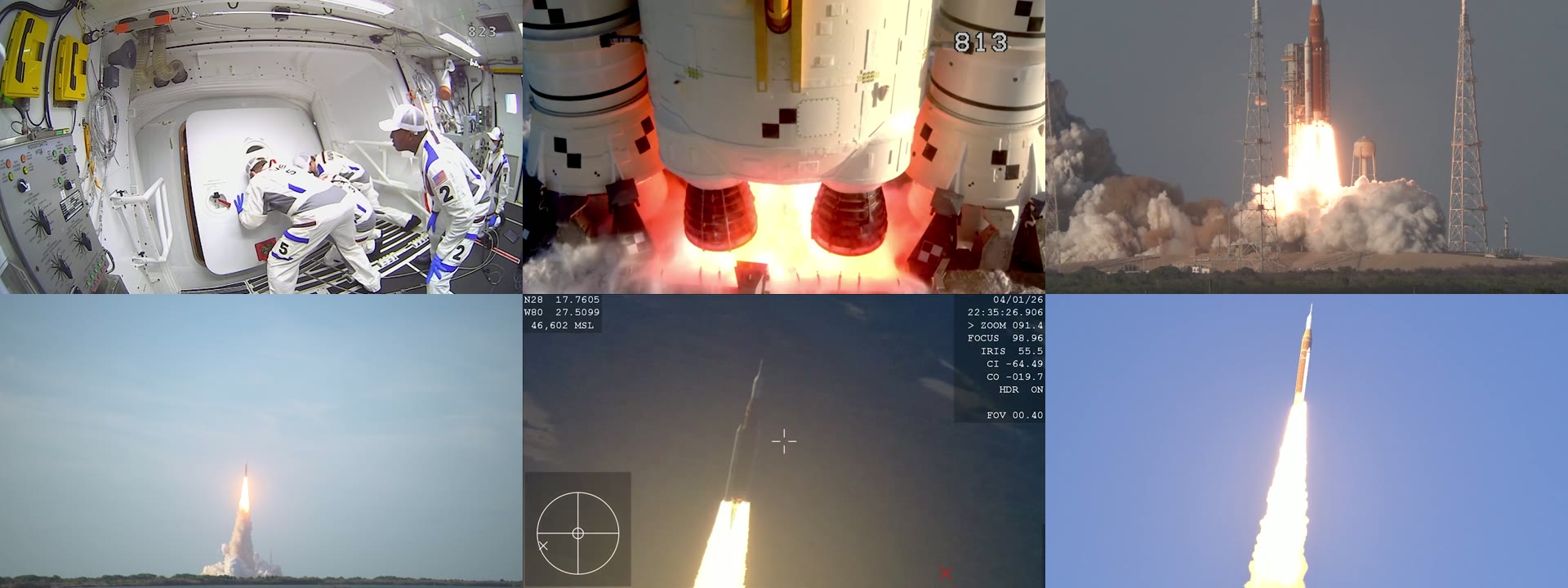
A poster frame and a contact sheet with one frame per shot come out of one ReelSDK call to POST /v1/ffmpeg: under a fifth of a cent for both from a 30-second 1080p clip, at $0.02 per compute minute.
Video thumbnail API
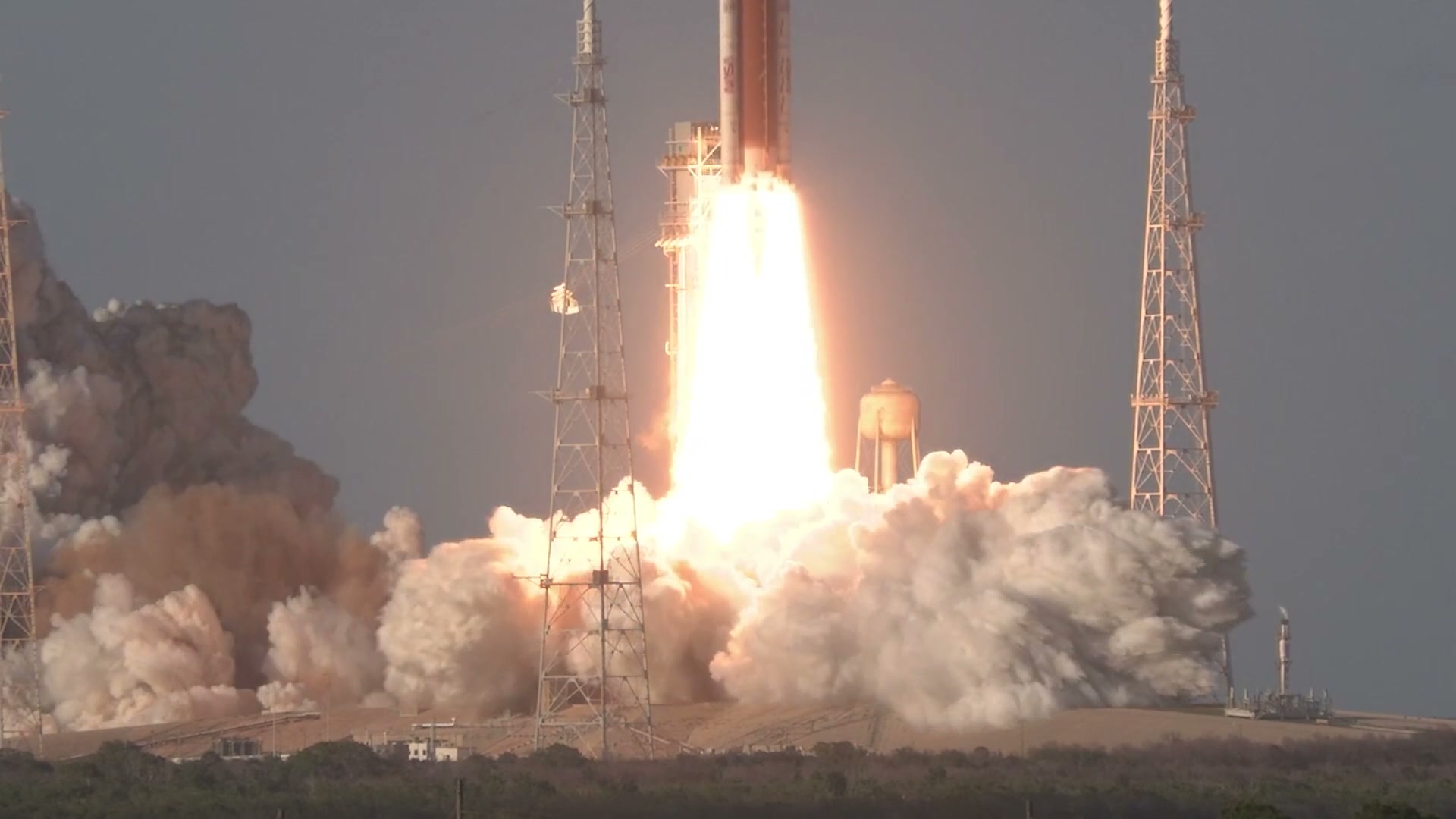
Yes: on ReelSDK, -ss 13 with -frames:v 1 grabs the poster, and a scene filter with tile=3x2 packs the first frame of each of 6 shots into one 1920x720 sheet.

Use casesUpdated
The request
POST /v1/ffmpeg
Grab a poster frame and a contact sheet with one frame per shot from one ffmpeg call, under a fifth of a cent for both.
curl "https://api.reelsdk.com/v1/ffmpeg?wait=60" \
  -H "Authorization: Bearer $REELSDK_KEY" \
  --json '{
    "inputs": {
      "launch.mp4": "https://api.reelsdk.com/f/lib/in/use-cases/launch.mp4"
    },
    "args": [
      "-ss", "13", "-i", "launch.mp4", "-i", "launch.mp4", "-map", "0:v",
      "-frames:v", "1", "-q:v", "2", "poster.jpg", "-map", "1:v", "-vf",
      "select='\''eq(n,0)+gt(scene,0.3)'\'',scale=640:-2,tile=3x2", "-frames:v",
      "1", "-q:v", "3", "shots.jpg"
    ],
    "outputs": ["poster.jpg", "shots.jpg"]
}'const res = await fetch("https://api.reelsdk.com/v1/ffmpeg?wait=60", {
method: "POST",
headers: { Authorization: `Bearer ${process.env.REELSDK_KEY}`, "Content-Type": "application/json" },
body: JSON.stringify({
"inputs": {
"launch.mp4": "https://api.reelsdk.com/f/lib/in/use-cases/launch.mp4"
},
"args": [
"-ss", "13", "-i", "launch.mp4", "-i", "launch.mp4", "-map", "0:v",
"-frames:v", "1", "-q:v", "2", "poster.jpg", "-map", "1:v", "-vf",
"select='eq(n,0)+gt(scene,0.3)',scale=640:-2,tile=3x2", "-frames:v",
"1", "-q:v", "3", "shots.jpg"
],
"outputs": ["poster.jpg", "shots.jpg"]
}),
});
const { job } = await res.json();{
"job": {
"id": "job_vxh4tsmhq1d6a15qgcjw",
"op": "ffmpeg",
"status": "succeeded",
"stage": null,
"created_at": "2026-11-07T01:20:08.770Z",
"finished_at": "2026-11-07T01:20:14.907Z",
"outputs": {
"poster.jpg": "https://api.reelsdk.com/f/out/job_vxh4tsmhq1d6a15qgcjw/poster.jpg?s=...",
"shots.jpg": "https://api.reelsdk.com/f/out/job_vxh4tsmhq1d6a15qgcjw/shots.jpg?s=..."
},
"result": null,
"duration_s": null,
"error": null,
"usage": {
"output_seconds": 0,
"audio_seconds": 0,
"tts_characters": 0,
"images": 0
},
"poll_url": "https://api.reelsdk.com/v1/jobs/job_vxh4tsmhq1d6a15qgcjw"
}
}Pulling a poster frame at a timestamp
Putting -ss 13 before the first -i launch.mp4 makes ffmpeg seek straight to the 13 s mark, and -map 0:v with -frames:v 1 tells it to decode and write just that single video frame. We pass launch.mp4 a second time in args so the shot-detection filter on -map 1:v can still read the file from the start while the poster grab finishes right away.
The -q:v 2 flag keeps JPG quality high on the full-size image. From our 30-second 1080p source, that writes poster.jpg at 1920x1080 and 129 KB.
At a glance
Ways to make video thumbnails
| Option | Price | Limits | What you run |
|---|---|---|---|
| ffmpeg on your own machine | Free; LGPL 2.1 or later, or GPL 2 or later with GPL libraries such as libx264 | Your CPU, disk and bandwidth | ffmpeg builds, a job queue, storage |
| AWS Lambda with an ffmpeg layer | $0.0000166667 per GB-second plus $0.20 per 1M requests (x86, US East) | 900 s per run, 10,240 MB memory and /tmp, 250 MB of code and layers, 6 MB sync payload | The layer, S3 in and out, retries |
| FFmpeg Micro | 1 token per 10 s of input, 500 tokens for $5 | 100 MB input on the free plan, 1,024 MB on Starter and Pro | API calls |
| ReelSDK | $0.02 per compute minute; under a fifth of a cent for this poster and sheet | 500 MB per file, 1 GB per job, 10 minutes of run time | One HTTP call |
Sources: FFmpeg license and legal, AWS Lambda quotas, AWS Lambda pricing, FFmpeg Micro pricing, checked November 2026.
One frame per shot, or one every 5 s
For the contact sheet on the second input stream, -vf select='eq(n,0)+gt(scene,0.3)',scale=640:-2,tile=3x2 keeps frame 0 and any frame where the scene score goes above 0.3, shrinks each match to 640 px wide (640x360), and packs 6 shots into a 3x2 grid. Adding -frames:v 1 and -q:v 3 writes the grid out to shots.jpg as a single 1920x720 image at 151 KB.
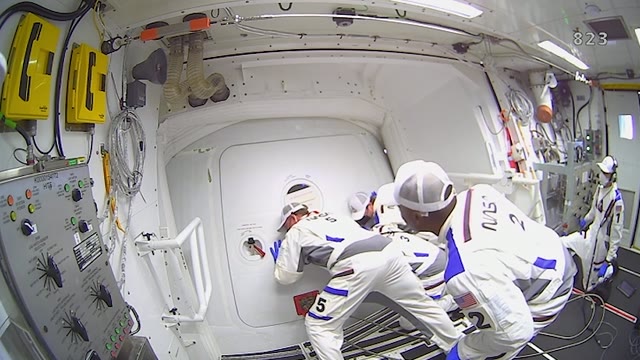
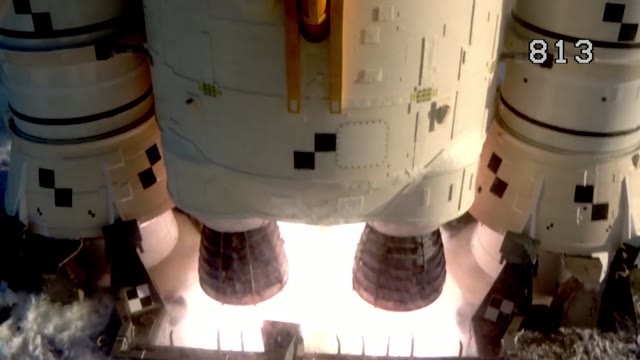
If you want separate files instead of a tiled sheet, a second POST /v1/ffmpeg call with -i launch.mp4 -vf fps=1/5,scale=640:-2 -frames:v 6 -q:v 3 thumb-%02d.jpg pulls a 640x360 frame every 5 s and writes thumb-01.jpg through thumb-06.jpg. That job billed about 2.5 seconds of compute, under a tenth of a cent. When you write an image sequence with a pattern like thumb-%02d.jpg, you list every output file name (thumb-01.jpg to thumb-06.jpg) in outputs, and image sequences need -frames:v set to 20 or fewer.

curl "https://api.reelsdk.com/v1/ffmpeg?wait=60" \
  -H "Authorization: Bearer $REELSDK_KEY" \
  --json '{
    "inputs": {
      "launch.mp4": "https://api.reelsdk.com/f/lib/in/use-cases/launch.mp4"
    },
    "args": [
      "-i", "launch.mp4", "-vf", "fps=1/5,scale=640:-2", "-frames:v", "6",
      "-q:v", "3", "thumb-%02d.jpg"
    ],
    "outputs": [
      "thumb-01.jpg", "thumb-02.jpg", "thumb-03.jpg", "thumb-04.jpg",
      "thumb-05.jpg", "thumb-06.jpg"
    ]
  }'
Cost and limits for thumbnail jobs
The first call, which pulls both poster.jpg and shots.jpg in one go, billed about 3.5 seconds to fetch the input, run ffmpeg and store the files, under a fifth of a cent. Machine start-up isn't billed. Raw ffmpeg on ReelSDK costs $0.02 per compute minute, billed per second with a 1 s minimum, and failed jobs cost $0 (see pricing for the $0.50 of free credit at sign-up).
What it costs
What this job cost
- Compute: fetching the input, running ffmpeg and storing the files
- 3.5 s
- Rate
- $0.02 per compute minute
- Charged
- $0.0012
Billed per second with a 1 s minimum. Machine start-up is not billed, and failed jobs cost $0.
Limits
What one request takes
- Input files
- 500 MB each, 1 GB per job
- Job run time
- Up to 10 minutes
- Image sequences
- Up to 20 frames per output
- Outputs per job
- Up to 20
- Waiting for a result
- 60 s by default, up to 300 s
- Output retention
- 7 days
How it works
From request to file
Host the input
Any public http or https URL on the default port works, as long as it has no username or password in it; ReelSDK downloads it before ffmpeg starts. A local file goes up with
POST /v1/uploads?filename=clip.mp4first: up to 100 MiB per upload, kept 7 days, and larger files go up as a multipart upload.Send the arguments
The request reads the clip twice. The first input, seeked with
-ss 13, gives the poster: one frame at-q:v 2. The second runsselecton the first frame plus every frame with a scene score above 0.3, scales them to 640 px wide and lays 6 out withtile=3x2.Download the result
Every file is listed under
job.outputs, and the links work for 7 days, so copy what you keep. For long jobs, send?wait=0with awebhook_urland fetchGET /v1/jobs/{id}when the webhook arrives.
FAQ
Questions, answered
How do I adjust image quality or switch output formats?
For jpg outputs, set -q:v in args - the examples above use -q:v 2 for the 1920x1080 poster and -q:v 3 for the 640x360 thumbnails. If you want png, webp, avif, gif, or apng instead, change the file extension on the output name in both args and outputs. You can mix formats in the same POST /v1/ffmpeg call as long as the job produces 20 outputs or fewer.
What if I want more or fewer frames, or a different grid size?
Change tile=3x2 in the -vf chain to match the grid layout you want, or adjust the 0.3 threshold in gt(scene,0.3) so select catches more or fewer shot changes. For timed intervals, change fps=1/5 and -frames:v 6 to fit your spacing and count. Just keep -frames:v at 20 or under when writing separate files, and list each expected file name in outputs.
How does the cost compare to FFmpeg Micro and AWS Lambda?
This 30-second video cost under a fifth of a cent for the poster and contact sheet, and a little less for the 6 separate thumbnails. On FFmpeg Micro, jobs cost 1 token per 10 seconds of input (metered per second, with 500 tokens for $5, a 100 MB max input on the free plan, and 1,024 MB on Starter and Pro). On AWS Lambda, you pay $0.0000166667 per GB-second (x86, US East) plus $0.20 per 1M requests.
- Video thumbnails with ffmpegGrab a frame at a time, let the thumbnail filter pick a good one, or pull keyframes and scene changes as JPEGs.
- Extract frames from a video with ffmpegSave frames as images: one per second, every Nth frame, at exact times or all of them, and the API's 20-frame limit.
- Video to GIFTurn a clip of any video into a looping GIF with a palette built from its own colors, for under a tenth of a cent.
- Resize videoRender 9:16, 1:1, 4:5 and 16:9 copies of one video in a single ffmpeg call, about 2 cents for all 4 from a 30 s clip.
- Trim videoCut a clip out of a longer video by URL, frame-accurate or by stream copy, for under a fifth of a cent per 10-second cut.
- FFmpeg API reference: POST /v1/ffmpegPOST /v1/ffmpeg runs ffmpeg 8.1 with your own arguments: up to 50 inputs of 500 MB, 20 outputs and 600 s per command, with tested recipes for GIFs, thumbnails and subtitles.
Sources, checked November 2026
Ready to build?
Ship video from your app today
Your first $0.50 is free, and one key covers every endpoint.
